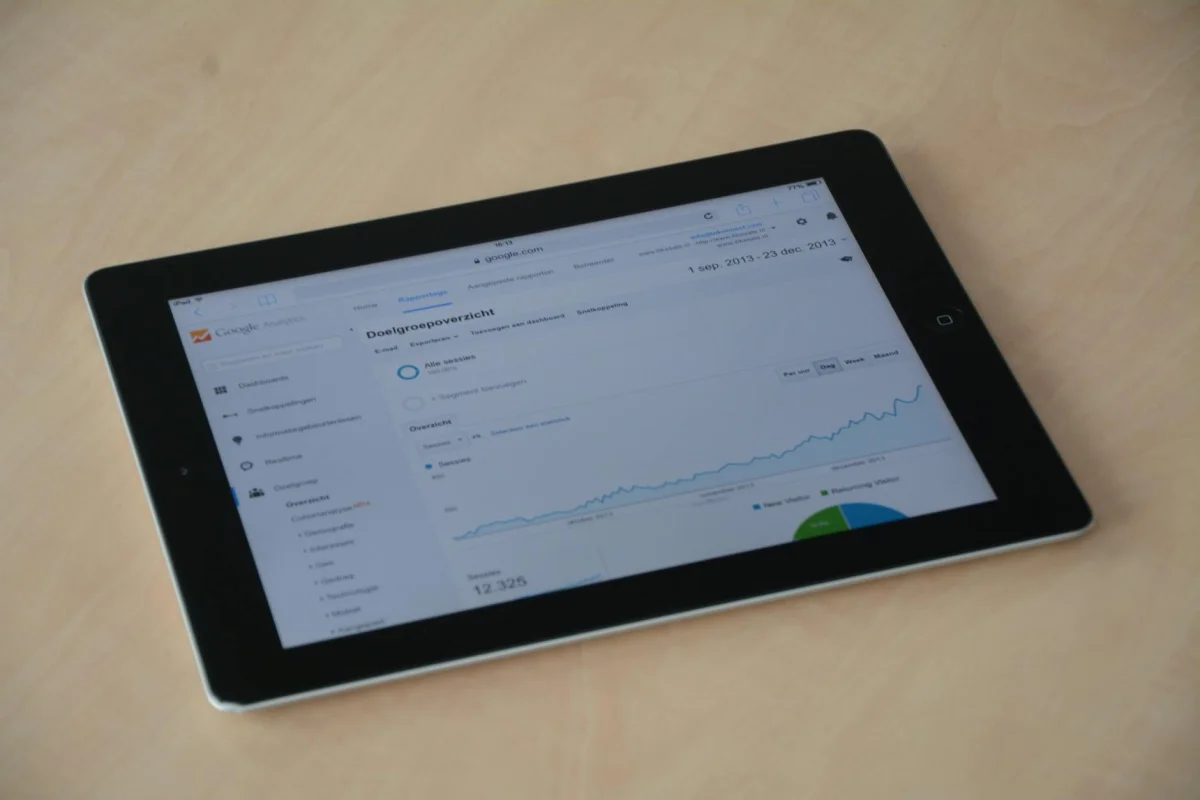
Click-through rate (CTR) sounds like one metric, but it behaves like several different ones depending on where you're measuring it. A 2% CTR on a Google search ad is below average for most industries. A 2% CTR on a display banner is competitive. A 2% CTR on a promotional email might mean your subject line failed or your list went cold. The percentage alone tells you almost nothing without context.
This guide covers how to calculate CTR correctly, how to solve for the variable you actually need during planning, what benchmarks apply to each channel, and which adjustments typically move the number when it falls short. By the end, you'll know how to read your own CTR data rather than compare it to the wrong standard.
 Photo by
 The CTR Formula
The core calculation is: CTR = (Clicks / Impressions) x 100
Impressions are the number of times your ad, link, or email was shown to a potential viewer. Clicks are the number of times someone acted on it. Multiply by 100 to express the result as a percentage rather than a decimal.
Concrete example: 1,800 clicks from 36,000 impressions gives you a 5% CTR. The math is (1,800 / 36,000) x 100 = 5.
In practice, you often need to solve for a different variable than CTR. Campaign planning requires knowing how many clicks you can expect from a given impression volume, or how many impressions you need to hit a traffic target. Here are the three forms:
Clicks from impressions and a target CTR: Multiply impressions by the decimal form of the rate. Clicks = Impressions x (CTR / 100). If your campaign will reach 50,000 impressions and you expect a 3.5% CTR based on past performance, you're planning for 1,750 clicks.
Impressions needed for a clicks target: Divide the clicks target by the decimal CTR. Impressions = Clicks / (CTR / 100). To generate 600 clicks from a channel where you historically see 2% CTR, you need 30,000 impressions.
CTR from actuals: The original formula. Divide total clicks by total impressions, then multiply by 100.
The CTR Calculator handles all three forms without requiring you to remember which version to use. Enter any two known values and it solves for the third, then displays the result alongside channel-specific benchmark ranges so you know immediately whether the number is competitive or needs attention.
Why "Good" CTR Is Channel-Specific
A number that looks identical across two campaigns can mean opposite things. A search ad at 4% CTR is performing at roughly the industry average. A display banner at 4% CTR would be exceptional, likely indicating a highly targeted audience or an unusually compelling creative. Mixing these contexts when evaluating performance leads to misplaced optimism or unnecessary changes.
The benchmarks below reflect typical ranges for each channel. They shift by industry, targeting quality, and how well the creative matches the audience, but they give you a starting framework for evaluating your own numbers.
 Photo by
 Google Search Ads
Search ads appear in response to a specific query, which means the person viewing your ad already has some form of intent. This intent is why search CTRs run significantly higher than most other channels. Average CTRs across industries fall somewhere between 3% and 7%, with consumer-facing categories like home services and legal at the higher end when ads are well-targeted.
A new search campaign performing below 2% almost always has a relevance problem. The ad copy, headline, or keyword targeting is not closely enough matched to what the searcher actually typed. Before assuming the creative needs a rewrite, check whether your keywords are sending the right impressions to the right ads. Broad match or loosely themed ad groups often produce low CTR not because the creative is weak but because many impressions have nothing to do with the ad's offer.
For reference, Wikipedia's overview of click-through rate covers the historical development of the metric and its measurement across advertising contexts.
Display Ads
Display advertising operates in a fundamentally different environment. Someone is reading an article, watching a video, or browsing a site when your banner appears in a sidebar or between paragraphs. They did not ask for it. Average CTRs across display campaigns typically fall between 0.05% and 0.5%, with most well-run campaigns landing in the 0.1% to 0.35% range. A display CTR above 0.4% usually indicates either a highly targeted audience or a creative format (like rich media or interstitials) that produces higher engagement than standard banners.
Comparing a search campaign at 5% to a display campaign at 0.3% does not mean one is performing well and the other isn't. They are in completely different categories. Google Ads provides separate benchmark reporting for each campaign type, which makes it easier to evaluate campaigns within the correct context rather than treating all paid traffic as one category.
Email Campaigns
Email CTR measures clicks divided by emails delivered, sometimes called click-to-delivered rate (CTDR). Platform-wide averages across industries generally land between 2% and 5%, but industry variation is significant. Financial services emails often average around 2-3%. Retail promotional emails hit 4% or higher during well-targeted campaigns with strong offers.
A more precise signal is click-to-open rate (CTOR), which divides clicks by opens rather than total deliveries. CTOR tells you whether your email body and call-to-action are working for people who actually opened the message. A low CTOR alongside a reasonable open rate means the problem is inside the email, not the subject line.
Mailchimp publishes benchmark data segmented by industry, which gives a practical comparison point for email CTR in your specific market rather than relying on blended averages that may not reflect your audience.
Organic Search
Organic CTR is tracked through Google Search Console as clicks divided by impressions on Google's search results pages. Position drives this metric more than almost anything else. Position 1 typically generates 25-35% of available clicks for a given query. By position 5, that figure falls below 10%. Position 10 sits somewhere in the 2-4% range.
A well-optimized title tag and meta description can consistently outperform the average CTR for a given position. If your pages rank but underperform on clicks relative to position, the title or description isn't giving searchers a compelling reason to choose your result over the others on the page. Specificity and clear value propositions in titles tend to outperform generic ones, even when ranking at the same position.
 Photo by PublicDomainPictures on Pixabay
Three Patterns That Cause CTR Misreadings
Even with the right benchmarks, a few common patterns distort CTR interpretation:
High impressions, low CTR. Broad match keywords or wide audience targeting inflate impressions with views from people who have little interest in what you're showing them. The fix usually isn't better creative. It's tighter targeting so your impressions come from people with actual relevance to the offer. Improving targeting often appears as a sudden jump in CTR even though the ad itself didn't change.
Low impressions, high CTR. A hyper-targeted segment with strong intent will click at high rates, but a sample of a few hundred impressions isn't statistically meaningful. Wait until a campaign has accumulated at least a few thousand impressions before drawing conclusions about what the CTR actually represents or making optimization decisions based on it.
Position changes without creative changes. If your CTR drops on an organic page or a paid search campaign and you didn't change the creative, check whether average position degraded. Being pushed to a lower rank, whether through increased competition or reduced bid, explains most passive CTR declines without any failure in the message itself.
How to Improve a Low CTR
The right fix depends on the channel, but a few principles apply broadly across all of them.
Headlines and subject lines carry most of the weight. On search ads, the headline is the primary decision point. On email, the subject line and preview text are the entire decision before opening. Testing two to three variants with meaningfully different angles produces usable data faster than optimizing word choices within a single version. Different angles means different framing (problem vs. solution, number-led vs. benefit-led, question vs. statement), not minor synonym swaps.
Specificity tends to outperform generality. A headline that reads "Small Business Loan Options" competes against many generic results. One that reads "Small Business Loans Under $100K: Apply in 10 Minutes" matches a narrower intent more precisely and earns clicks from people who match that description. Specificity makes the click feel lower risk because the result is clearly telegraphed.
Diagnose by segment before optimizing broadly. If you have impression data broken out by device, time of day, geographic area, or audience segment, check whether the problem is concentrated in one slice. A 2% overall CTR that's 4% on mobile and 0.7% on desktop tells you where to focus energy instead of averaging away the signal.
For organic search: Use Google Search Console to identify which queries generate strong impressions but low clicks for a specific page. That gap between impressions and actual clicks points directly at pages where rewritten title tags or meta descriptions would produce measurable lift, usually within a few weeks of Google recrawling the updated page.
For paid search: Check your quality score and ad relevance ratings. Low relevance scores indicate a mismatch between keyword, ad copy, and landing page that is suppressing both CTR and ad position simultaneously. Fixing the alignment often improves both metrics at once rather than requiring separate optimizations.
For email: Run a subject line test before rewriting the email body. If opens are also low, the subject line is the constraint. If opens are reasonable but CTR is low, the email body or call-to-action needs work. Diagnosing in sequence saves time compared to rewriting everything at once.
Putting CTR in the Right Context
CTR is one signal in a longer chain. A high CTR that leads to a landing page with a 0.5% conversion rate produces worse economics than a moderate CTR with a 4% conversion rate. CTR tells you that your message was relevant enough to earn a click. What happens after that click is a completely separate measurement.
That said, CTR is often the first place a campaign bleeds. When cost per conversion is higher than expected, the diagnosis usually points to one of two places: the audience is not responding well to the message (low CTR) or the landing page is not converting visitors (low conversion rate). Isolating which is the problem keeps you from optimizing the wrong thing.
For advertisers tracking multiple campaigns, Google Analytics connects click data to post-click behavior, including session duration, bounce rate, and conversion events. That connection lets you correlate CTR with downstream results rather than treating it as an endpoint metric.
 Photo by Pixabay on Pexels
CTR Benchmarks by Channel (Quick Reference)
| Channel | Average CTR | Above Average |
|---|---|---|
| Google Search Ads | 3-7% | 8%+ |
| Display / Banner Ads | 0.1-0.3% | 0.4%+ |
| Email (click-to-delivered) | 2-4% | 5%+ |
| Organic Search (Position 1) | 25-35% | 38%+ |
| Organic Search (Position 5) | 5-9% | 12%+ |
These ranges shift by industry, audience targeting, and creative quality. They are most useful as a starting frame for identifying whether a number is plausibly on track or clearly off. For a faster read, the CTR Calculator includes a visual benchmark gauge that plots your specific result against the relevant channel standard.
The EvvyTools tools directory includes related calculators for ROAS, advertising cost-per-acquisition, and conversion rate analysis. Running a CTR calculation alongside a ROAS or CPA calculation gives you a more complete picture of whether a campaign is working at the economics level, not just the click level. More on related advertising metrics is available on the EvvyTools blog.